Micro SaaS studio · Auckland

We build software around how your business actually works.

We start by sitting down with your team to find where the hours leak. Then we build the web platform, business tool or app that fixes it, made to measure rather than a template you have to work around.

~/kiln-and-larkshipped

01 / 04

Newpearl Tiles

The briefA faster site that ranks in search, with accounts so trade customers can save products and send inquiries.

  1. Marketing pages are pre-rendered and cached, then refreshed every minute, so visitors and search engines get a fast page.

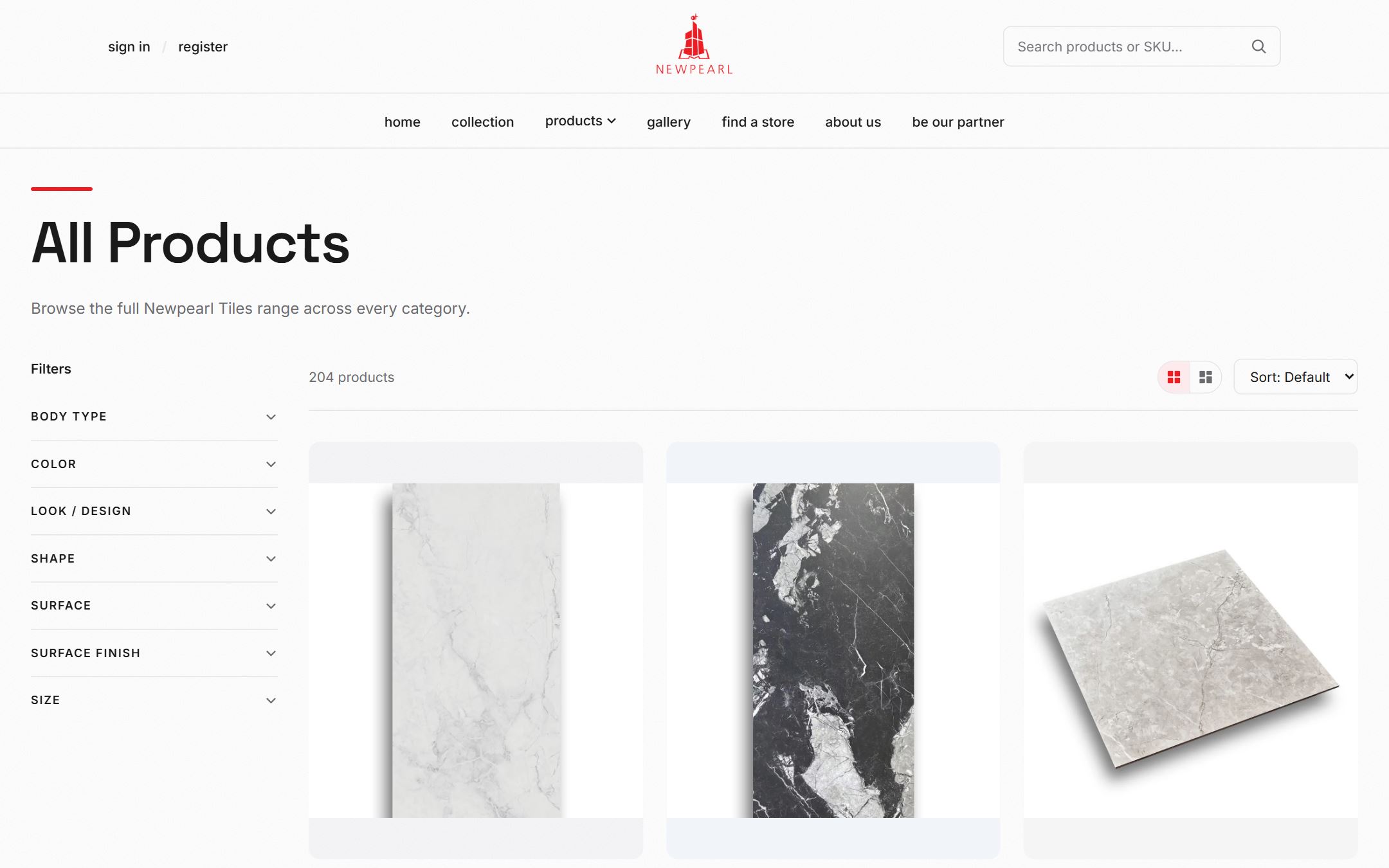
  2. 204 products, filterable by body type, colour, look, shape, surface, finish and size. Signed-in customers can save favourites and send inquiries.

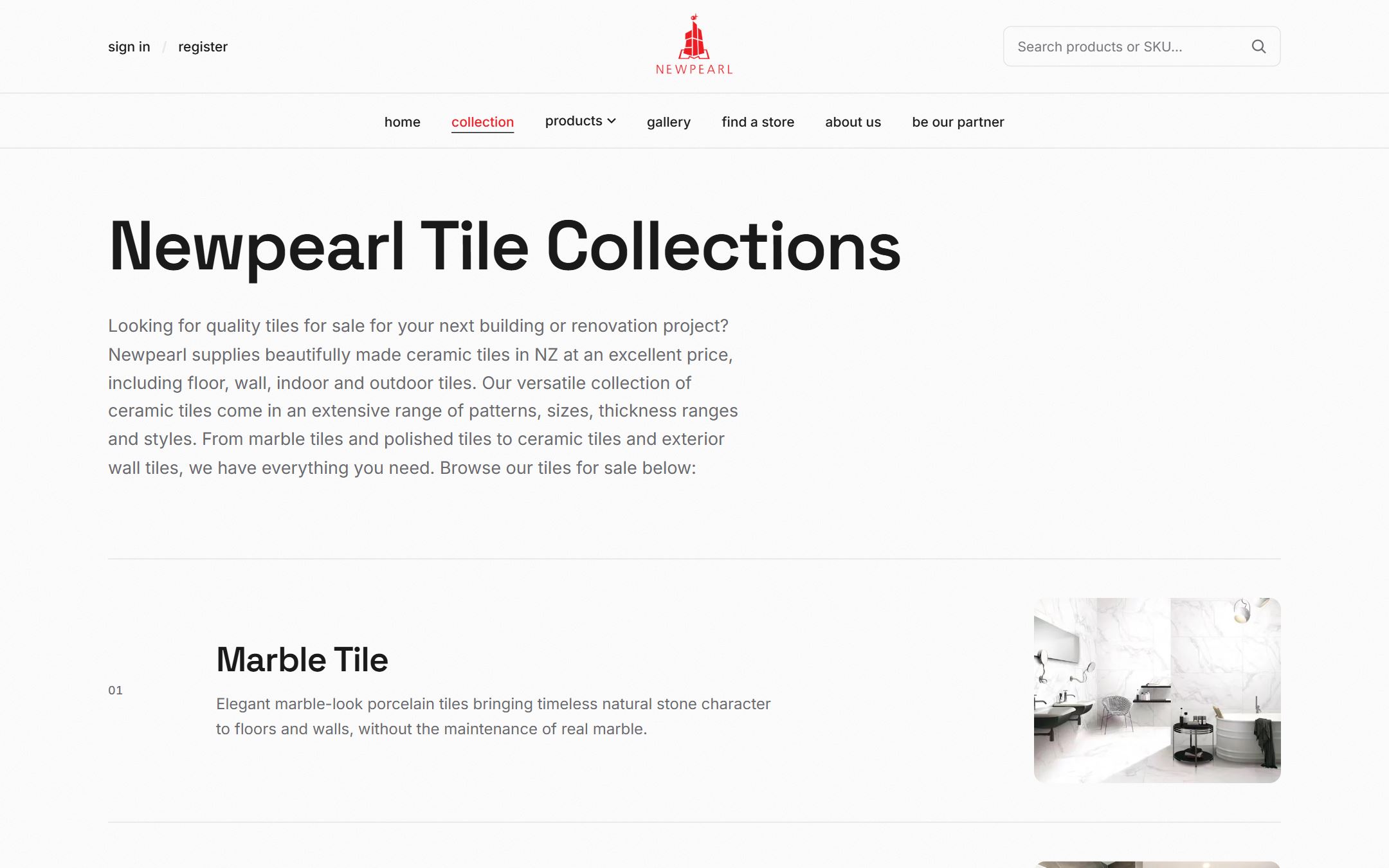
  3. Collection pages with real copy, clean URLs, one canonical domain and a sitemap, set up as a systematic SEO pass.
  • Next.js
  • Node / Express
  • PostgreSQL
  • SEO
Live new.newpearl.co.nz ↗
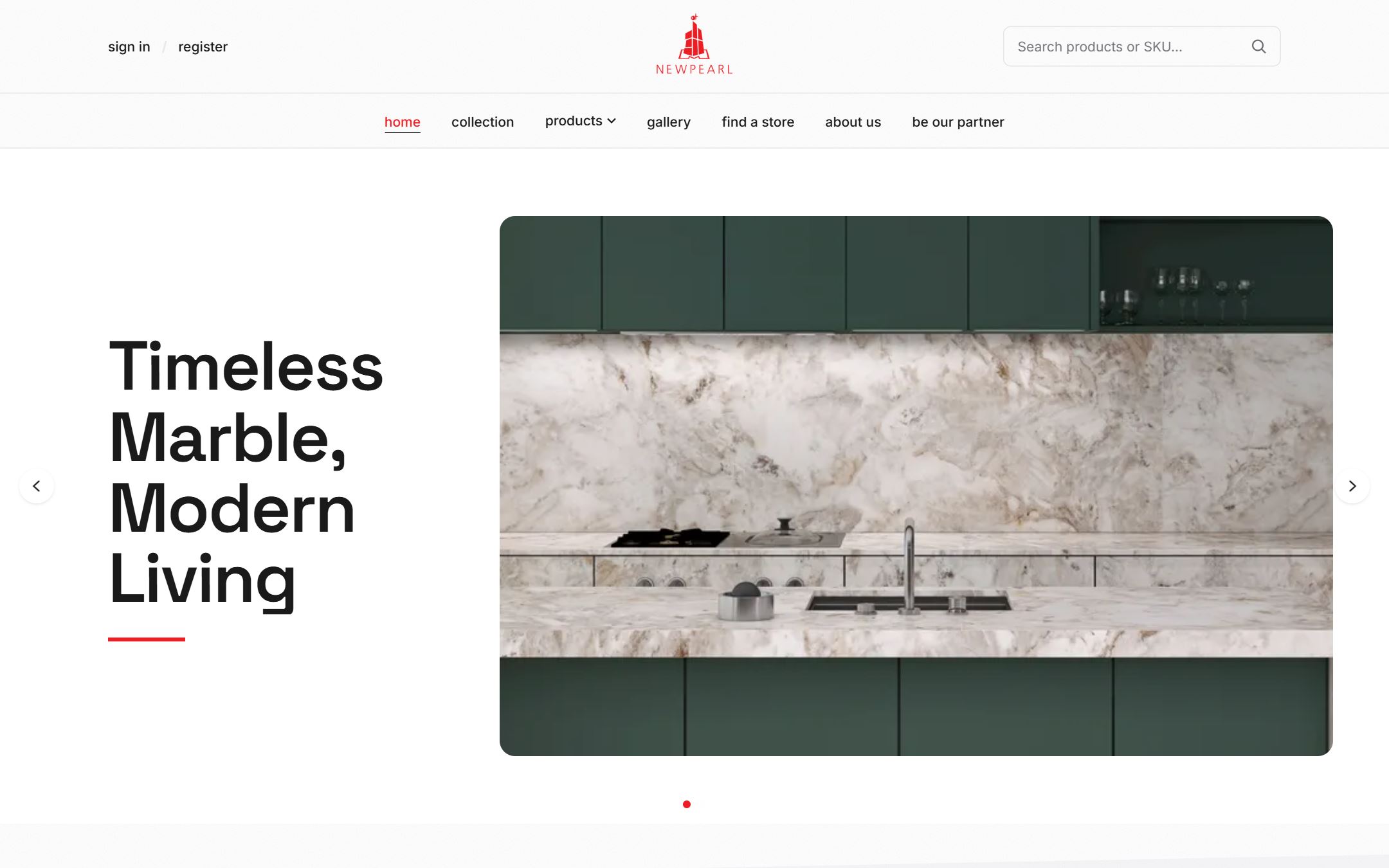
Newpearl Tiles homepage with a full-width kitchen hero image
Homepage. Pre-rendered and cached for speed.
Newpearl product listing with filters for body type, colour, look and size
Catalogue. 204 products with faceted filters.
Newpearl Tile Collections page listing marble tile and other ranges
Collections. Pages written for search.

02 / 04

Quotation Maker

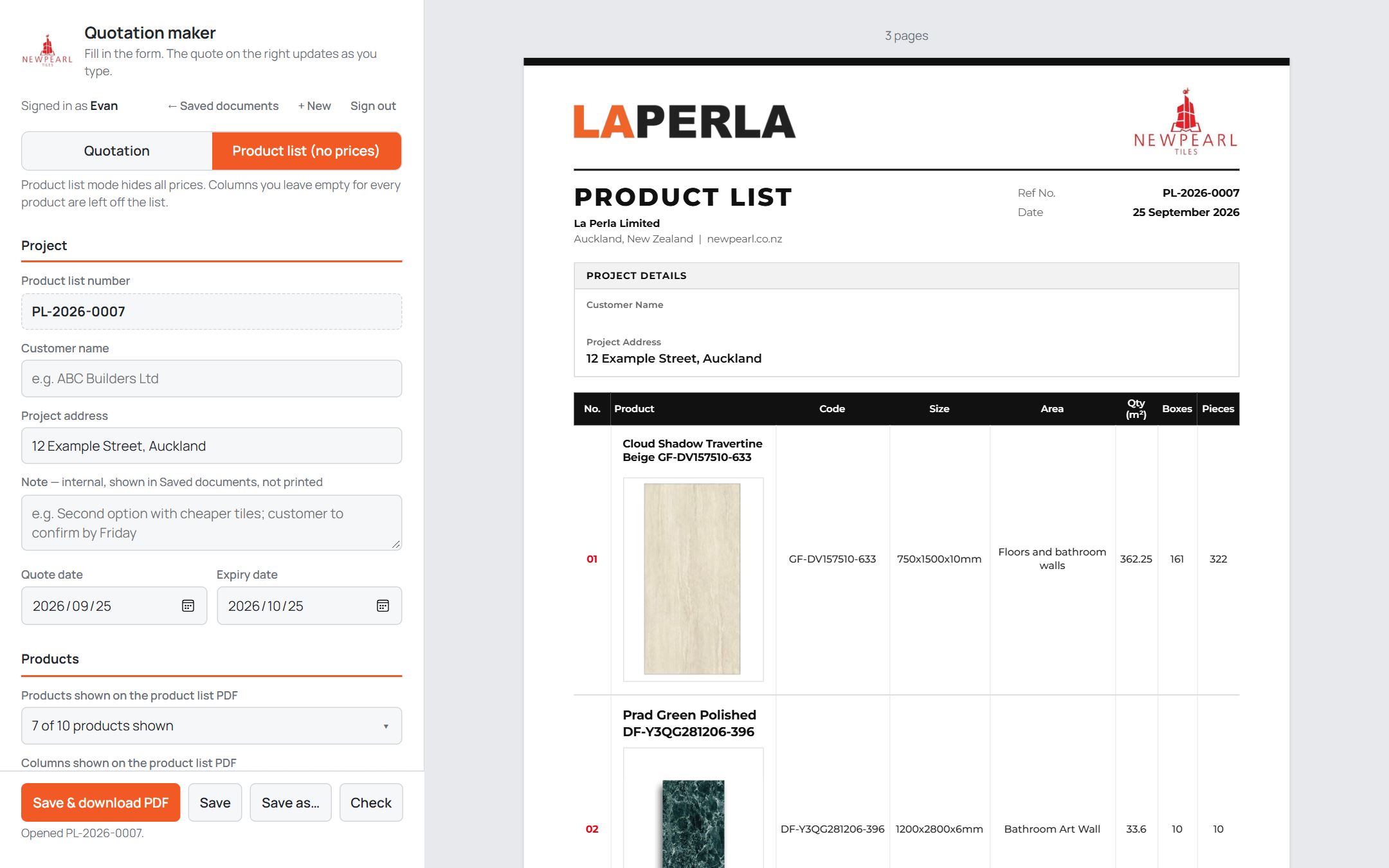
The briefOne form that produces a branded quote and a price-free product list, and lets selected partners in without another password.

  1. Form on the left, print-ready PDF on the right. One save writes both the priced quote and the price-free list, and a built-in check blocks quantities that don’t add up.

  2. Approved accounts open the tool straight from their website login. Only a super-admin can grant access, and every handoff is written to the audit log.

  • HTML / JS
  • REST API
  • JWT SSO
  • PDF
Live · internal new.newpearl.co.nz/quote.html ↗ staff login required
Quotation maker: form fields on the left and a live product-list PDF preview on the right
Live document. Form left, PDF right.

Customer details in this screenshot are anonymised.

Single sign-on handoffno second password
01

Customer account

Signed in on the public website.

02

Access check

Granted by a super-admin and linked to a staff account.

03

Quotation Maker

Opens ready to work, already signed in.

Checked server-sideAudit-loggedRevocable anytime
One-click access. Approved partners skip the second login.

03 / 04

QuoteMate

The briefTilers needed to get from room measurements to a professional, priced quote without a spreadsheet.

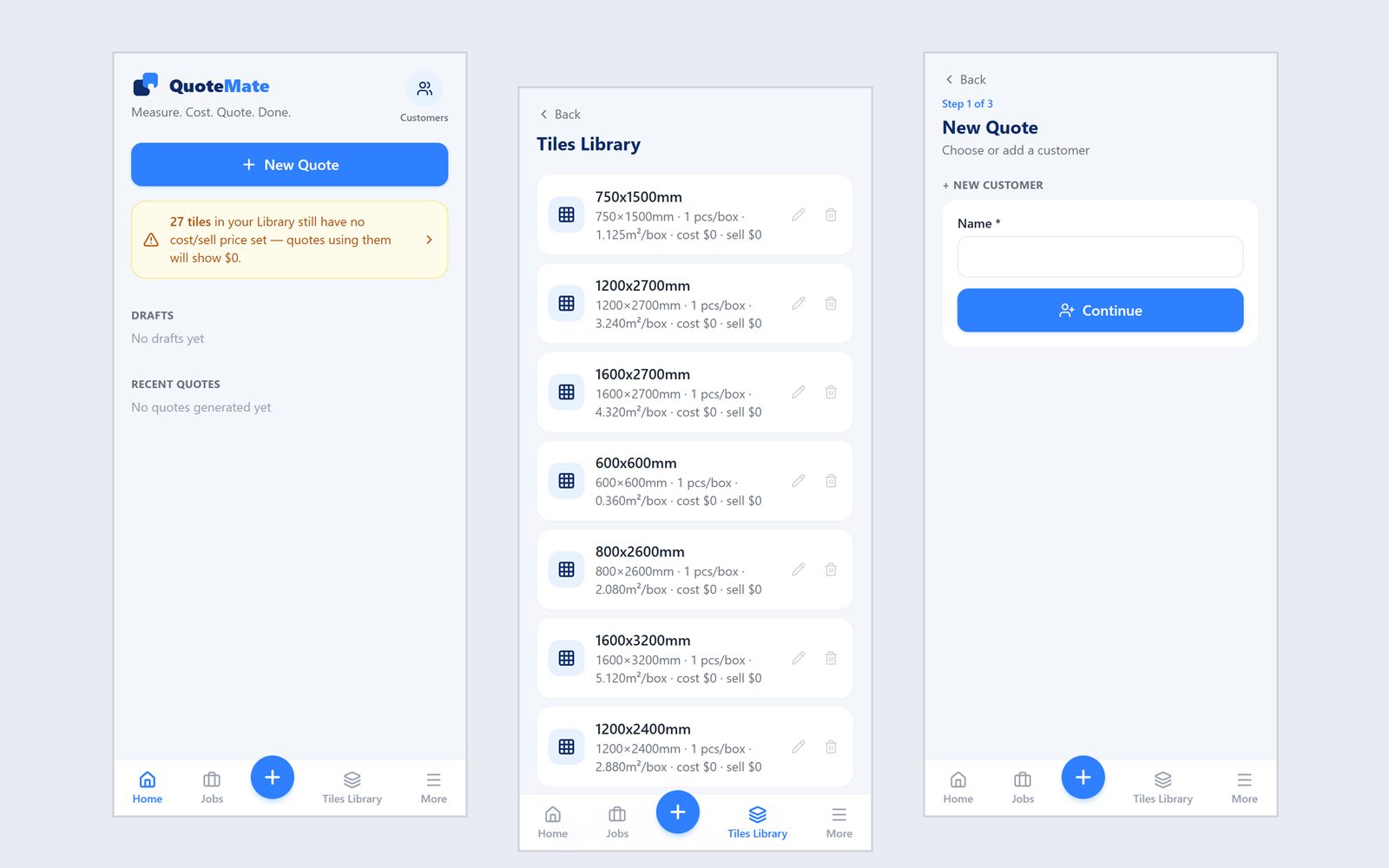
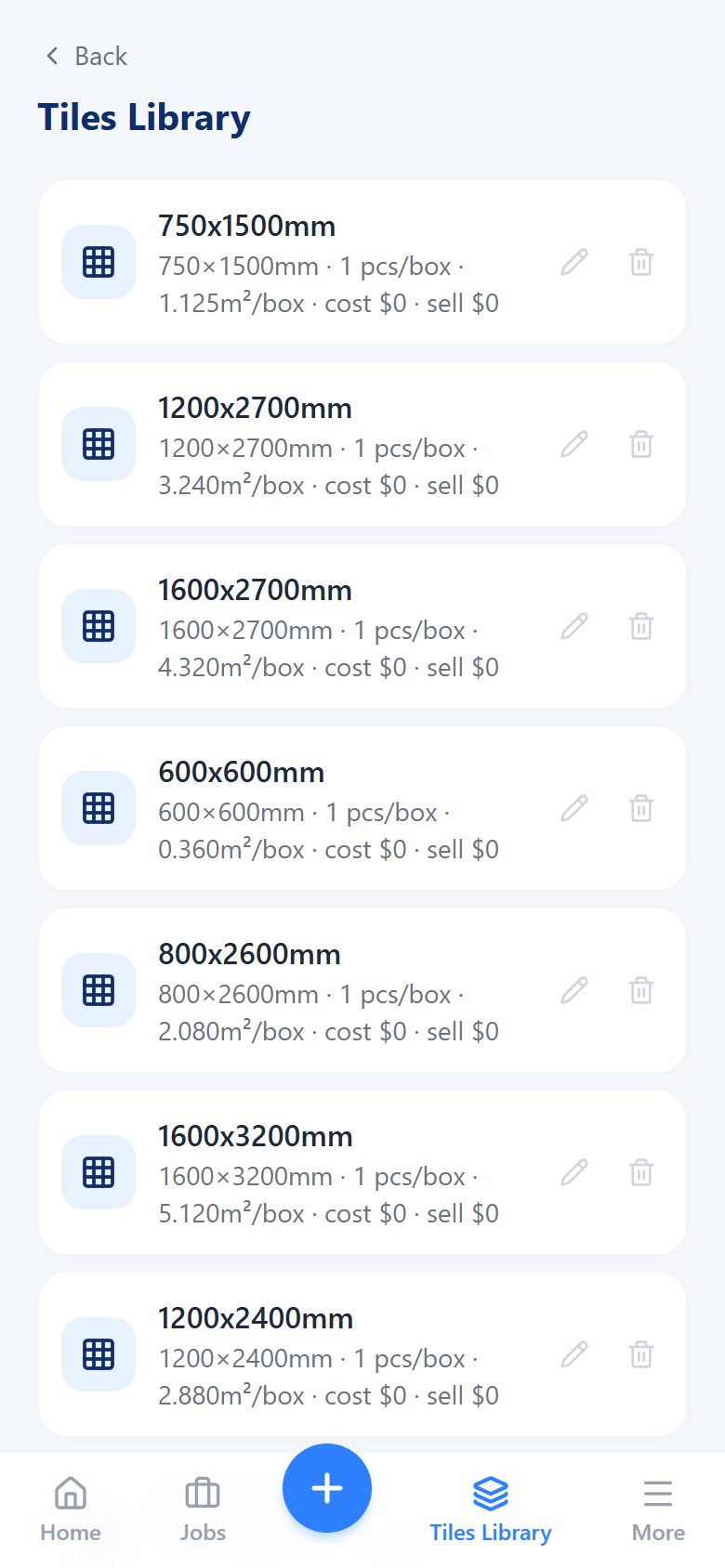
  1. Mobile-first: measure, cost and quote on site. A tile library keeps sizes and box quantities ready, and flags tiles that still need a price.

  2. Enter length, width and height and QuoteMate generates the floor and four walls, then subtracts doors and windows.

  3. Waste allowance, box rounding, skirting and margin, unit-tested against the worked examples in the spec.

  4. A guided flow ends in a generated PDF. Each business’s customers, jobs and numbering are kept fully separate.

  • Next.js
  • Express
  • Prisma
  • PostgreSQL
Beta quotemate.newpearl.co.nz ↗
The appphone-first
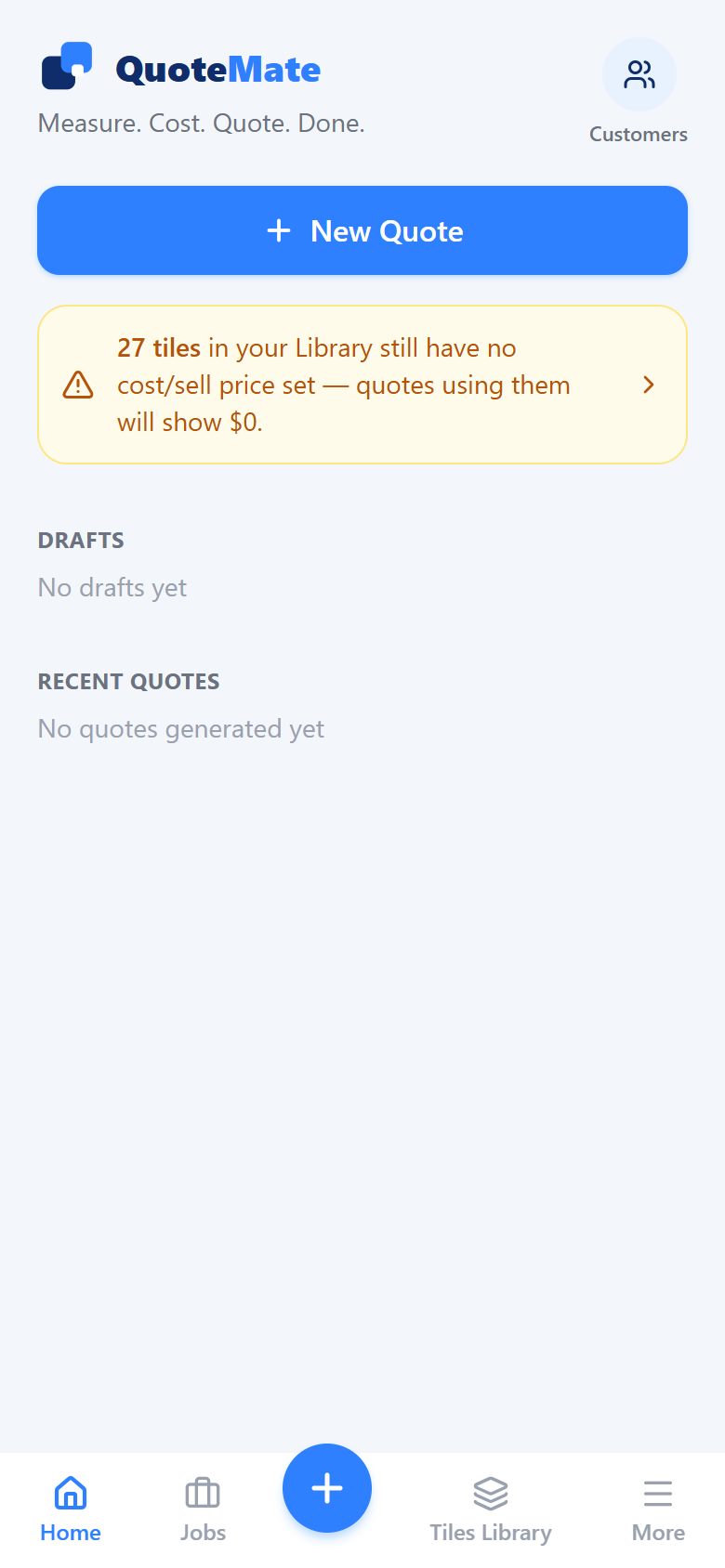
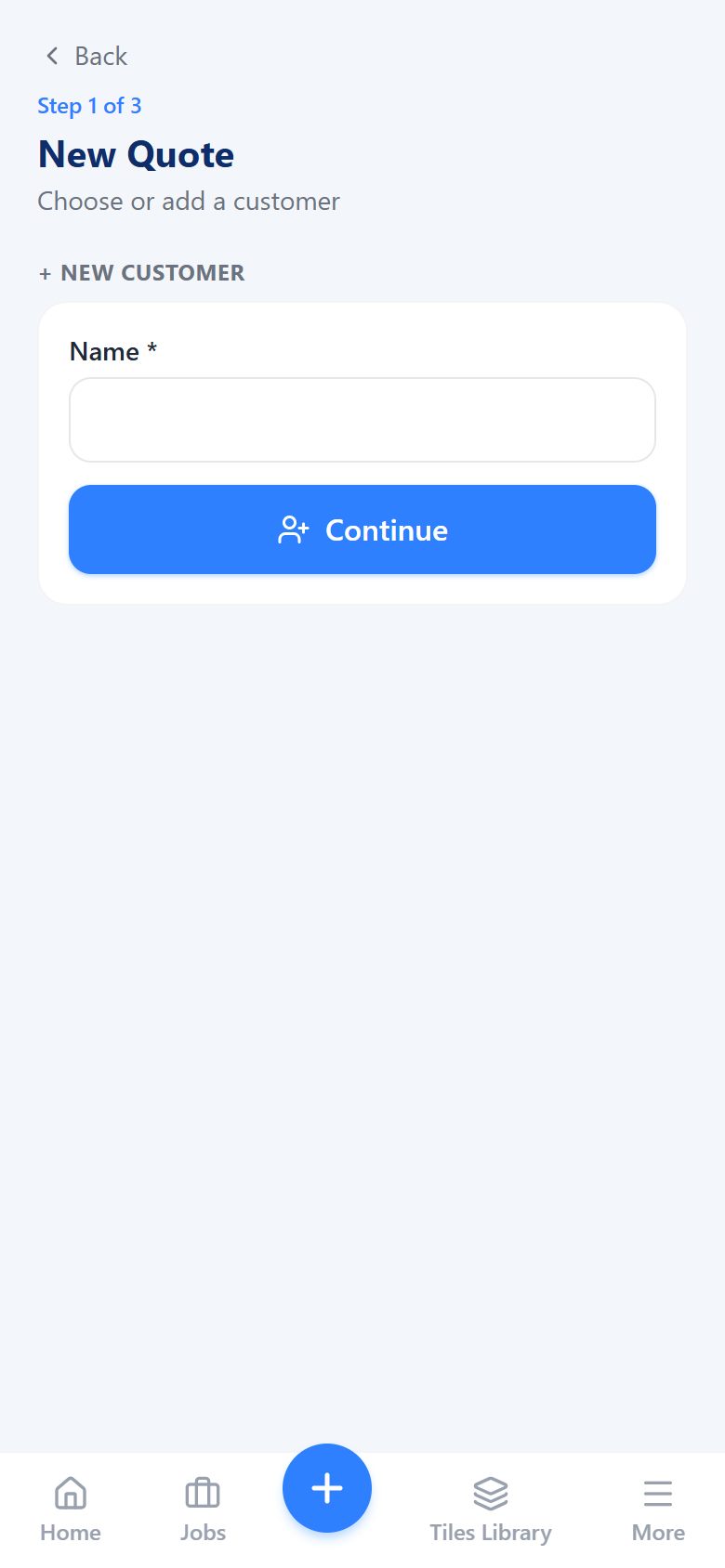
QuoteMate home screen with a New Quote button and a tile-pricing reminder QuoteMate tile library listing tile sizes with pieces and square metres per box QuoteMate new quote, step 1 of 3: choose or add a customer
The app. Home, tile library and the first step of a new quote.
Example room4.2 × 3.6 × 2.4 m
H 2.4 L 4.2 m W 3.6 m
Floor
15.12 m²
Walls, gross
37.44 m²
Door + window
− 3.12 m²
Walls, net
34.32 m²
Room to surfaces. Floor and walls generated from three numbers.
Floor tiles · worked examplerounded up
Floor area15.12 m²
+ 10% waste allowance16.63 m²
600 × 600 tile, 4 per box1.44 m² / box
Boxes to order12
Waste and boxes. The maths a tiler does by hand, done the same way every time.

Illustrative values. Waste, box size and margin are set per job.

The guided flow7 steps
  1. Customer
  2. Job
  3. Room
  4. Tiles
  5. Costs
  6. Pricing
  7. PDF
QM-2026-00001Quote · PDF
Quote PDF. Numbered per business, generated on the server.

04 / 04

TaskMaster

The briefA to-do list that stays on screen while you work, instead of hiding in another tab.

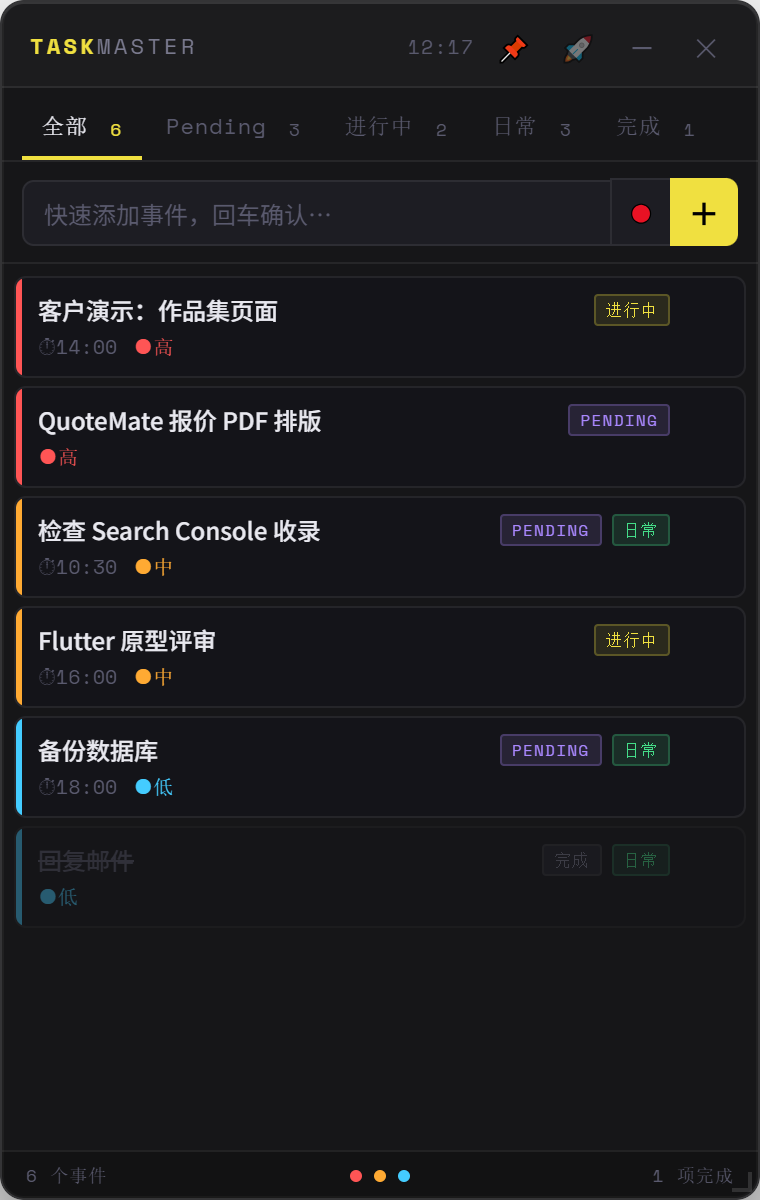
  1. A frameless panel that floats on top, minimises to the tray, and adds a task when you press Enter.

  2. A Windows installer and a portable .exe, with build targets for macOS and Linux from the same code.

  • Electron
  • Windows
  • macOS
  • Linux
Shipped · desktop
TaskMaster window: tabs for all, pending, in progress, daily and done, with colour-coded priority tasks
  • Floats on topPin or unpin with one click.
  • Three priority levelsColour-coded, sorted automatically.
  • Daily tasksReset themselves every morning.
  • Tray & auto-launchStarts with Windows, closes to the tray.
The panel. Shown here with sample tasks.
Build targetsone codebase
WindowsInstaller + portableTaskMaster Setup.exe · TaskMaster.exe
macOSDisk image.dmg
LinuxAppImage.AppImage
Packaging. Installs like any other app.

What we build

One small team covering web, mobile and desktop, so your tools share one backend and one set of people who know them.

  1. 01

    Web platforms

    Websites, catalogues and customer accounts. Fast by default and built to be found in search.

    • Next.js
    • SEO
    • Accounts
  2. 02

    Business tools & SaaS

    Quoting, pricing, documents and dashboards: the parts of the job still living in spreadsheets.

    • Express
    • PostgreSQL
    • PDF
  3. 03

    Mobile apps Flutter

    iOS and Android from one Flutter codebase, talking to the same backend as your web tools.

    • Flutter
    • Dart
    • iOS
    • Android
  4. 04

    Desktop apps

    Small, always-there utilities for the office PC, delivered as a normal installer.

    • Electron
    • Windows
    • macOS

Built around your business, not the other way round.

No off-the-shelf package to bend your process to. Every project starts with listening.

  1. Step 1

    Sit down with your team

    A working session at your place or ours. We watch how the job is done today and write down where time and money leak.

  2. Step 2

    Design around your workflow

    Screens that match how your staff already talk and work. Together we agree on what version one must do.

  3. Step 3

    A working version, early

    In your hands with real data, so feedback comes from using it, not from looking at a mockup.

  4. Step 4

    Keep improving together

    After launch we stay on for fixes, new features, hosting and the next idea your team brings us.